

Hey there! As a Hirschmann switch supplier, I've seen my fair share of MAC address learning issues. It can be a real headache when your network isn't working as it should, but don't worry – I'm here to help you troubleshoot those problems step by step.
What is MAC Address Learning?
Before we dive into troubleshooting, let's quickly go over what MAC address learning is. Every network device has a unique MAC (Media Access Control) address, kind of like a fingerprint. When a Hirschmann switch receives a frame on one of its ports, it looks at the source MAC address of that frame and creates an entry in its MAC address table. This table helps the switch figure out where to forward subsequent frames addressed to that MAC address.
Common MAC Address Learning Issues
1. Duplicate MAC Addresses
One of the most common issues is having duplicate MAC addresses on the network. This can happen if you've got a misconfigured virtual machine or a device with a spoofed MAC address. When the switch sees the same MAC address coming from different ports, it gets confused and doesn't know where to forward the frames.
2. Port Security Violations
Port security settings on the Hirschmann switch can also cause MAC address learning issues. If you've set a limit on the number of MAC addresses that can be learned on a port, and that limit is exceeded, the port might shut down or enter an error-disabled state.
3. Aging Time
The switch has an aging time for the entries in its MAC address table. If the aging time is set too short, valid MAC addresses might be removed from the table before they should be, causing communication problems.
4. Spanning Tree Protocol (STP) Issues
STP is designed to prevent loops in the network, but sometimes it can interfere with MAC address learning. If there are STP convergence issues, the switch might not learn MAC addresses correctly during the convergence process.
Troubleshooting Steps
Step 1: Check for Duplicate MAC Addresses
The first thing you should do is check for duplicate MAC addresses on the network. You can use the show mac address-table command on the Hirschmann switch to see all the MAC addresses it has learned and which ports they're associated with. If you see the same MAC address on multiple ports, you'll need to track down the devices with the duplicate addresses and fix the issue.
Switch# show mac address-table
Step 2: Review Port Security Settings
Next, take a look at the port security settings on the switch. Use the show port-security interface command to see the settings for each port. Make sure the maximum number of MAC addresses allowed on each port is set appropriately for your network.
Switch# show port-security interface GigabitEthernet 1/0/1
If you find that a port has exceeded its MAC address limit and is in an error-disabled state, you can use the shutdown and no shutdown commands to re-enable the port.
Switch(config)# interface GigabitEthernet 1/0/1
Switch(config-if)# shutdown
Switch(config-if)# no shutdown
Step 3: Adjust Aging Time
If you suspect that the aging time is causing problems, you can adjust it using the mac-address-table aging-time command. You'll want to find a balance between keeping the table up-to-date and not removing valid entries too quickly.
Switch(config)# mac-address-table aging-time 300
Step 4: Check STP Configuration
Finally, check the STP configuration on the switch. Use the show spanning-tree command to see the STP status and settings for each VLAN. Make sure there are no issues with STP convergence, such as blocked ports or inconsistent bridge priorities.
Switch# show spanning-tree
Specific Hirschmann Switch Models
Let's take a look at how these troubleshooting steps might apply to some specific Hirschmann switch models:
Hirschmann MACH102 - 8TP - F
The Hirschmann MACH102 - 8TP - F is a popular compact switch. When troubleshooting MAC address learning issues on this model, you'll follow the same basic steps as above. However, make sure to check the device's documentation for any model-specific settings or commands.

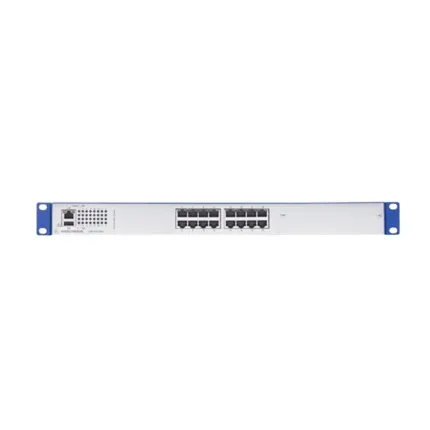
Hirschmann GRS1130 - 16T9SMMZ9HHSE2S
The Hirschmann GRS1130 - 16T9SMMZ9HHSE2S is a more advanced switch with additional features. It might have more complex port security and STP settings, so pay close attention to those when troubleshooting.
Hirschmann BAT450 - FUS599CW9M9AT699AB9D9H
The Hirschmann BAT450 - FUS599CW9M9AT699AB9D9H is another model that you might encounter. Like the other models, start by checking for duplicate MAC addresses and reviewing the port security settings.
Conclusion
MAC address learning issues can be frustrating, but with the right troubleshooting steps, you can get your Hirschmann switch back up and running smoothly. Remember to check for duplicate MAC addresses, review port security settings, adjust the aging time if necessary, and check the STP configuration.
If you're still having trouble or if you're looking to upgrade your network with new Hirschmann switches, don't hesitate to reach out. We're here to help you with all your Hirschmann switch needs, from troubleshooting to procurement. Contact us to start a conversation about how we can support your network infrastructure.
References
- Hirschmann Switch User Manuals
- Network Troubleshooting Guides