

Can the Hirschmann Spider be managed remotely?
As a supplier of Hirschmann Spider products, I often get asked about the remote management capabilities of these devices. In this blog post, I'll delve into the details of whether the Hirschmann Spider can be managed remotely, exploring the features, benefits, and considerations associated with remote management.
Understanding the Hirschmann Spider
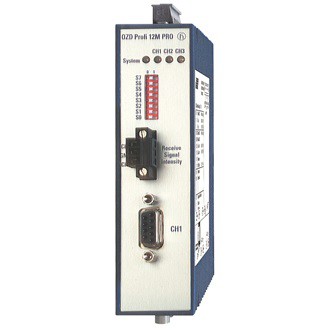
The Hirschmann Spider series is renowned for its high - performance industrial Ethernet switches. These switches are designed to meet the demanding requirements of industrial environments, providing reliable and secure network connectivity. They come in various models, such as the Hirschmann MIPP/AD/1S9P, Hirschmann SPIDER - PL - 20 - 24T1Z6Z699TY9HHHV, and Hirschmann OZD Profi 12M G12 - 1300 PRO, each tailored to specific industrial applications.

Remote Management Features
One of the key features of the Hirschmann Spider switches is their support for remote management. Remote management allows network administrators to configure, monitor, and troubleshoot the switches from a central location, without the need for physical access to the devices.
Configuration
Remote management enables administrators to set up the switch parameters, such as VLANs (Virtual Local Area Networks), port settings, and Quality of Service (QoS) policies. For example, using the web - based management interface or command - line interface (CLI) accessible over the network, an administrator can define which ports belong to a particular VLAN, ensuring proper network segmentation and security. This can be done from anywhere with an internet connection, saving time and effort compared to on - site configuration.
Monitoring
Administrators can monitor the status of the switch and its ports in real - time. They can view information such as port utilization, link status, and error rates. This real - time monitoring helps in detecting potential issues early, such as a port with high error rates indicating a possible cable problem. By being able to monitor remotely, administrators can respond quickly to network problems, minimizing downtime.
Troubleshooting
In case of a network issue, remote management tools allow administrators to diagnose and resolve problems without having to travel to the site. For instance, if a switch is experiencing connectivity issues, the administrator can remotely check the configuration, run diagnostic tests, and even restart the switch if necessary. This reduces the time required to fix problems and keeps the industrial network running smoothly.
Benefits of Remote Management
Cost - Savings
Remote management eliminates the need for on - site visits for routine configuration and troubleshooting. This results in significant cost savings in terms of travel expenses and labor costs. Instead of sending a technician to a remote industrial site, an administrator can handle the task from the office, which is both more efficient and cost - effective.
Improved Network Uptime
With real - time monitoring and quick troubleshooting capabilities, remote management helps in maintaining high network uptime. Industrial processes often rely heavily on a stable network connection, and any downtime can lead to production losses. By being able to address network issues promptly, remote management ensures that the industrial operations continue without interruption.
Centralized Management
Remote management allows for centralized control of multiple Hirschmann Spider switches across different locations. Administrators can manage all the switches from a single console, making it easier to enforce consistent network policies and configurations. This centralized approach simplifies network management and reduces the complexity associated with managing a distributed network.
Considerations for Remote Management
Security
When implementing remote management, security is of utmost importance. Since the switches are accessible over the network, there is a risk of unauthorized access. Hirschmann Spider switches come with various security features, such as access control lists (ACLs), authentication mechanisms, and encryption. However, administrators need to ensure that these security features are properly configured to protect the network from potential threats.
Network Connectivity
Reliable network connectivity is essential for remote management. If the network connection between the administrator's location and the switch is unstable or interrupted, it can prevent effective management. In industrial environments, where network conditions can be challenging, additional measures such as redundant network connections may be required to ensure continuous remote access.
Technical Expertise
Remote management requires a certain level of technical expertise. Administrators need to be familiar with the switch's management interfaces and commands. Hirschmann provides comprehensive documentation and training resources to help administrators get up to speed, but it's still important to have a team with the necessary skills to manage the switches remotely.
Case Studies
Let's look at a real - world example of how remote management of Hirschmann Spider switches has been beneficial. A manufacturing company had multiple production plants spread across different regions. Each plant had a Hirschmann Spider switch installed to support its industrial network. By implementing remote management, the company's network administrators were able to monitor and configure all the switches from a central control room.
One day, a switch in one of the plants started showing high error rates on a particular port. The administrator, monitoring the switch remotely, was able to quickly identify the problem. Without having to travel to the plant, the administrator remotely re - configured the port settings and resolved the issue within minutes. This quick response prevented any disruption to the production process and saved the company from potential losses.
Conclusion
In conclusion, the Hirschmann Spider switches can indeed be managed remotely, offering a wide range of features and benefits. The ability to remotely configure, monitor, and troubleshoot these switches provides cost - savings, improved network uptime, and centralized management. However, it's important to consider security, network connectivity, and technical expertise when implementing remote management.
If you're interested in learning more about Hirschmann Spider switches and their remote management capabilities, or if you're looking to purchase these products for your industrial network, I encourage you to get in touch with us. We have a team of experts who can provide you with detailed information, answer your questions, and assist you in finding the right solution for your needs.
References
- Hirschmann product documentation
- Industry reports on industrial Ethernet switch management